Start Your Support Request With the Right Details
When a robotic palletising or packing line stops behaving as expected, the quickest path to a fix is a clear support request. Start with the site name, line number, location and a short description of what changed. Include whether the issue started after a power failure, a product change, a new pallet pattern, a sensor fault or a conveyor jam.
That gives the support team a proper picture of the operating conditions and what may need checking first.
- Installed robotic cell or conveyor line name
- Site address or nearest town
- Fault message, alarm code, or screen text
- What the robot, conveyor or gripper is doing now
- When the issue started and what happened before it
What We Usually Check First
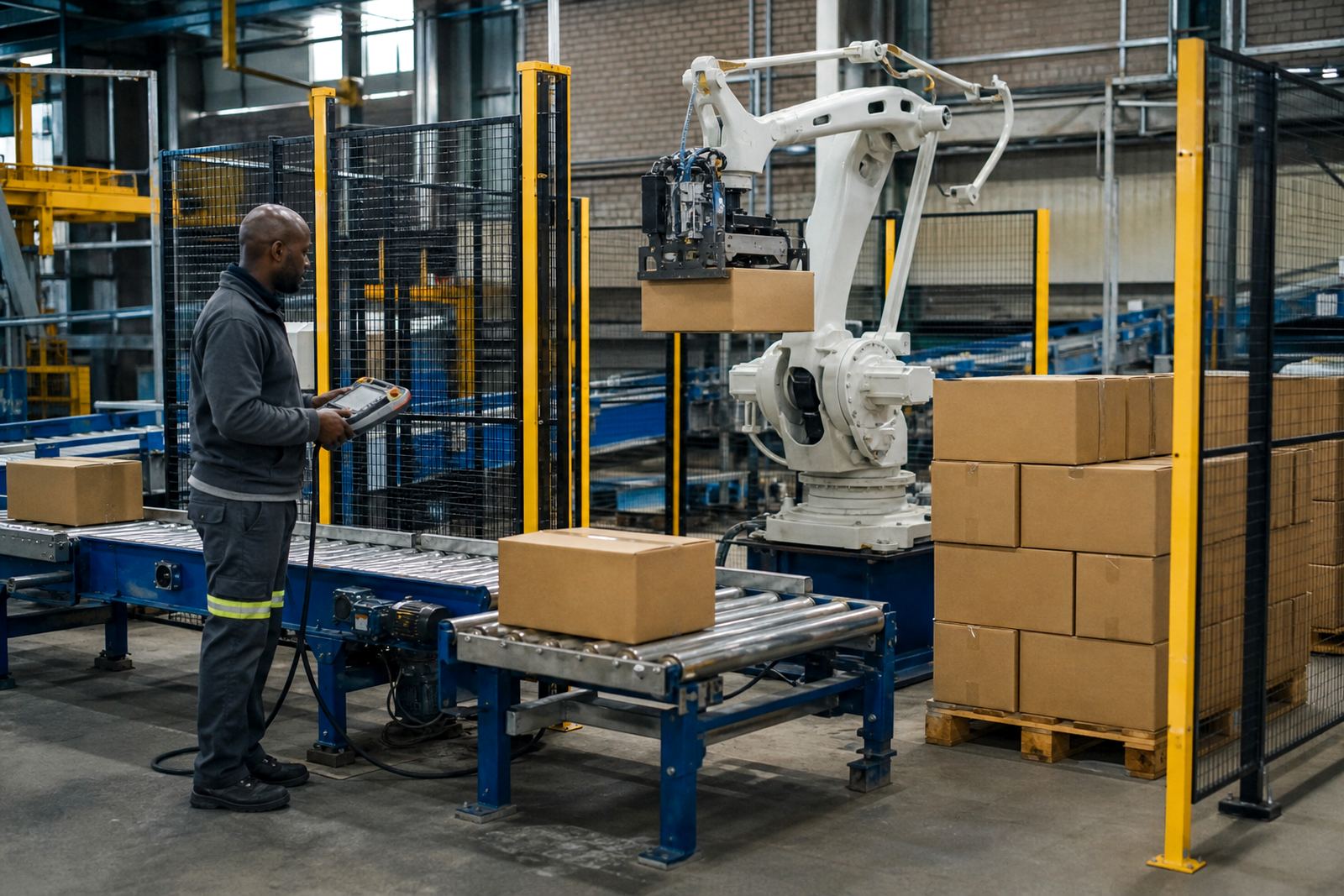
Most support calls begin with a structured review of the cell, the material flow and the controls signals. A robot may be healthy while a photoelectric sensor, conveyor drive, pallet present switch or safety circuit is stopping the line. In other cases the packing pattern, product spacing or carton condition is the issue, not the robot arm itself.
We also look at the wider line behaviour. If cartons are skewing, pallets are not entering square or the infeed is backing up, the root cause may sit in transfer timing, guide rails, air supply, or a worn conveyor belt. On coastal sites humidity can affect certain electrical components, so it is worth saying if the trouble is worse in the mornings or after cleaning.
- Controls alarms and interlocks
- Safety gate, light curtain and e-stop status
- Conveyor timing and product flow
- Gripper, vacuum or clamp performance
- Air pressure, power stability and cable condition
Safety Comes Before Hands-On Troubleshooting
For any robotic cell, safety must be checked before anyone opens gates or reaches into the line. Each site needs its own risk assessment and its own method of isolation, especially where robot movement, conveyors, pallet lifts and automatic restart functions are involved. We support site teams with safe fault finding, but we do not encourage bypassing guarding or defeating interlocks.
If you are logging a support request after a stoppage, please note whether the line was isolated, locked out and made safe before the issue was inspected. That detail helps avoid delays and makes it easier to plan the right response. If the problem involves guarding or a changed layout, mention that clearly so the next step can be handled properly, not guessed at.
- Do not bypass safety devices to test the line
- Keep operators clear of the cell while power is restored
- Report any damaged guard panels, hinges or door switches
- Flag any recent layout changes or maintenance work
How to Help Us Narrow Down the Fault
A good support request saves time on site and often shortens the outage. Photos or short video clips can help, especially where the conveyor is misfeeding, the robot is missing picks, or a pallet pattern is drifting. If the issue only happens with one pack size, one product type or at a certain speed, say so. Those details matter.
It also helps to tell us what has already been checked. If your maintenance team has inspected belts, sensors, air lines, stop buttons or cable runs, list that in the request. That way we can focus on the next most likely cause instead of repeating work. Even small details like a strange noise, a slow start-up or a recurring trip can point us in the right direction.
- Use plain words to describe the fault
- Note the exact time and frequency of the problem
- Include any changes to products, pallets or labels
- Say whether the fault is constant or intermittent
- Attach clear photos of the affected area if possible
What Support Can Cover
Support requests can cover a wide range of installed line issues. That may include a robot that is not completing its cycle, a conveyor that is stopping without warning, a product transfer that is out of sync, or a control fault that keeps the cell from restarting. We also assist with operator questions, maintenance follow-up and checks after a breakdown.
Where needed, support can also include spares planning and coordination for worn parts, sensors, conveyor components, guarding hardware or control items that need replacement. If your line is running in a demanding environment, such as a dusty warehouse or a coastal site with high moisture, tell us that too because it can affect how the fault is approached and what parts get checked first.
- Robot cycle faults and repeat alarms
- Conveyor stopping, slipping or misalignment
- Controls and signal handover concerns
- Guarding, access and safety circuit issues
- Operator training refresher after repairs
Submitting the Request and Next Steps
Use the enquiry form on our contact page to log the support request. Include the site location, your preferred contact person and a short summary of the issue. If the line is still running, mention whether it is safe to continue production while the fault is monitored or if the line should remain stopped until a technician reviews it.
Once the request is received, the team will review the details and respond with the next step, which may be remote fault checking, a site visit, or a plan for parts and attendance. For sites in Kempton Park, Johannesburg, Pretoria, Durban, Cape Town and Gqeberha, support can be scheduled around production needs where possible. Clear information at the start usually gets the line back to work faster, and with less back and forth.
- Use the contact page form to submit your request
- Give the exact site and line details
- State whether production has stopped or is reduced
- List any safety concerns or recent maintenance work